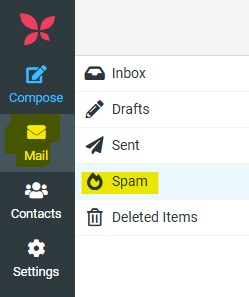
SPAM or junk folder:
Emails caught by the spam filtering system are diverted to a separate folder on the mail server for each mailbox. This email folder on the mail server is called either spam or junk. Spam emails are not delivered to the inbox and will therefore not be retrieved by your email client such as Outlook etc.
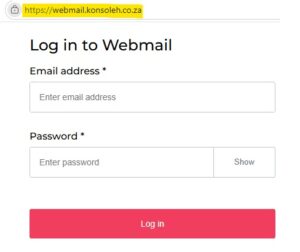
The content of the spam or junk folder can only be accessed via Webmail on https://webmail.konsoleh.co.za
Manage SPAM/Junk Content via Webmail:
* Browse to https://webmail.konsoleh.co.za
* Log in with your full email address and email password.
* Select the spam or junk folder in the left-hand list of email folders.
* You’ll be able to view spam messages detected by the spam filter.
* Finding an email in your spam folder that is legitimate i.e. a false–positive?
* Select and drag the email(s) from the spam/junk folder to your Inbox folder.
* Your email program will now be able to retrieve the emails as per normal.